
A Checklist For International Travel
 Travel Insurance
- ___ Check amounts and terms of international coverage on health insurance policy
- ___ Look into travel insurance. Health coverage, emergency transport and general travel insurance
- ___ Buy travel insurance on big risk areas and large cost items, such as flights and cruises.
Make a Contact List
- ___ Update your phones contact file
- ___ Include Embassy and consulate numbers where you will travel
- ___ Look up and add emergency numbers for countries you will visit
- ___ Make hard copies of those contacts to carry on you
- ___ Add copies to carry-on and suitcases
Make Copies of Important Documents
- ___ Take photos with your phone of all your cards, passport, itinerary and bookings and store them
- ___ Make multiple copies of documents like passport, insurance cards, drivers license, visas and keep copies in your carry on and suitcase
- ___ Give digital copies to trusted friends or family
 Money Belts and Bag Security
- ___ Carry cash and cards in a money belt or pouch. If you don’t have one, get one. Without question they are the safest way of protecting money, cards and ID.
- ___ Have extra security for wallets, purses and backpacks. Pickpocket proof clothes, wire reinforcement for straps.
- ___ Distribute your cash: Separate your cash and have an emergency stock in a place unlikely to be searched. Inside suitcase liner, in old socks or with toiletries.
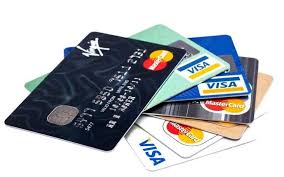 Make Sure You Have The Right Debit and Credit Cards
- ___ Check your credit card terms and have one that doesn’t charge international transaction fees
- ___ Check your debit card and carry one that has international ATM service with which you can withdraw cash for free to avoid fees.
Also a credit card gives you a higher chance of claiming money back in case an airline goes bankrupt or fraud against the card.
Foreign Currency
- ___ Convert some money to foreign currency before you leave. Important for tipping, taxis and small purchases.
- ___ Look into the ATM networks recommended by your bank. That can save a lot of hassle and money.
- ___ Make and carry a list of exchange rates. This helps you understand the cost of things and know if the vendors are being fair.
 Know Basic Phrases For The Countries You’ll Visit
- ___ Prepare a small cheat sheet of basic questions: “How much?”, “Where are the bathrooms?” “Is a service charge included?” Knowing how to call for help, ask for the police etc can make or break your travel safety.
- ___ Write down the address of your hotels and other important locations and destinations to show to taxi drivers etc.
Research Local Customs And Laws
- ___ Read up on local culture and manners to help you travel safely. You don’t want to offend anybody. For instance in Thailand disrespecting the money is disrespecting the King because his picture is featured. Be careful of religious culture in strongly religious countries.
- ___ Look into local laws.Ask questions or refer to travel guides. You do not want to break any laws unintentionally and end up with a hefty fine or in jail. An example is in Barbados it is illegal to wear camouflage clothing (fine and/or jail).
 Keep Your Electronic Gear Safe
- ___ Get and install a VPN (virtual private network) on all devices that will access wifi (laptops, pads and cellphones.
- ___ Get and install a reliable anti-virus software.
- ___ Buy and carry a large capacity travel hard drive. Do regular backups and keep a backup system on it. Also never plug in unknown USB sticks (thumb drives).
 Be Prepared For Eventualities
- ___ Know the costs of using your cellphone internationally. Being in Europe is not the time to learn that you calls are $3.00 a minute.
- ___ Discuss communications options with family and friends. Let them know if you plan on using primarily text messages.
- ___ Have a plan for when your devices cannot access the internet. Too many devices and apps today operate on the premise that they always have access to the web. Understand the ones that won’t work in such a case and find out if there are there substitutes?
Download Maps To Your Device Before Your Trip
- ___ Install a map app on your cellphone or use Google Maps and download maps
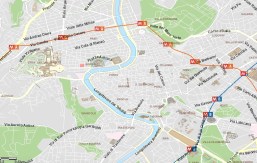 of cities you will visit. Google will allow you to store their maps for thirty days and there are several apps that let you download maps that display using only GPS.
 - ___ Get in the habit of picking up local guide maps and carry one as a backup for your phone. Having paper maps and even a compass on you can come in handy.
 Good news and good news! First, in several entries using Mobile Entry it has not worked as intended yet. Talking to the agents they tell us that while they understand what it’s supposed to do mostly it doesn’t seem to provide the information at their station they were told it would but they generally accept that you have a valid entry. That being said every time we enter they examine the code displayed on our phones, take a quick look at our passport and wave us through – welcome to America.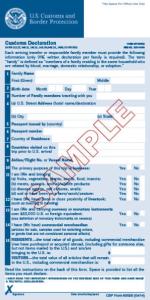


 Twitter and the Traveler in Emergencies
 Most people know Twitter as a social message sharing platform but it can fill other important roles. For those not familiar with Twitter it is used mostly for social networking, instant messaging and micro-blogging. Registered users can access Twitter through its website interface, through Short Message Service (SMS) or its mobile-device application software (“app”). Unregistered users can still read tweets by searching for a registered user or group.
 For this reason alone you should consider having a twitter account to use for emergency communications. The primary approach to accomplish this goal is to have family and friends use their accounts or have them setup Twitter accounts and make sure everyone follows everyone. In an emergency it is probably the quickest and easiest way to make notifications.
 Keeping in touch with everyone, family, friends, work colleagues, becomes a priority during an emergency. If the land-line phones go dead and even your cell phone can’t make calls because everyone else is overloading the system, using text messages through Twitter can be a solution for those who need to inform friends and family online of current conditions and even needs. The great thing about Twitter is brevity. You still need to master important communications using just a few words, but Twitter could be the emergency information sharing option for you.
 If you really would prefer your main Twitter account to be left for specific friends, consider having a family Twitter account as well and use that during an emergency. Just be sure to remember which one you’re tweeting to – you may have to log out of one and into another.
 What’s not to like with a near perfect year-round temperature, 70 miles of coastline and beaches, a major U.S. Naval Base, an interesting historic area and world famous Balboa Park that features 17 museums, numerous galleries and performing arts venues including the incredible San Diego Zoo. It isn’t hard to fall in love with
  Where Your Ship Docks
 San Diego has an economical


 The Intentional Travelers